Translation inside the reader
Text appears directly inside the original speech bubbles on the live website. No app switching, no copy-paste.
The Budget-Friendly Manga Translator
Our browser extension detects speech bubbles and translates them in real-time. Replace expensive monthly subscriptions with affordable pay-as-you-go credits that never expire.
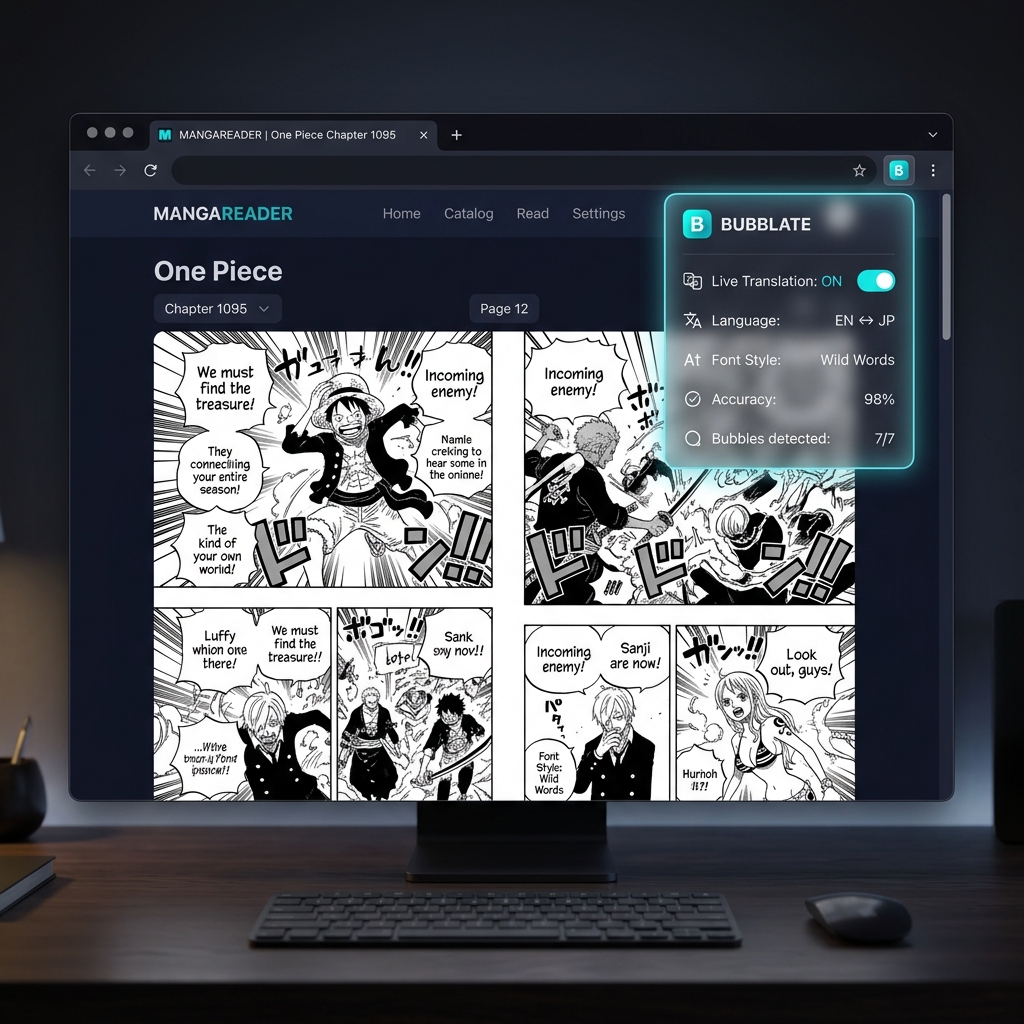
Built for manga readers, not for tech. It works where you already read, the way you expect it to work.
Text appears directly inside the original speech bubbles on the live website. No app switching, no copy-paste.
Why pay a monthly fee when you can just buy what you read? Credits stay active indefinitely, letting you read at your own pace.
Compatible with the most popular manga readers. Open a chapter and the Bubblate extension starts automatically.
Real manga pages, really translated. Bubblate removes the original text, translates it, and places clean readable dialogue right back in the panel.
Before
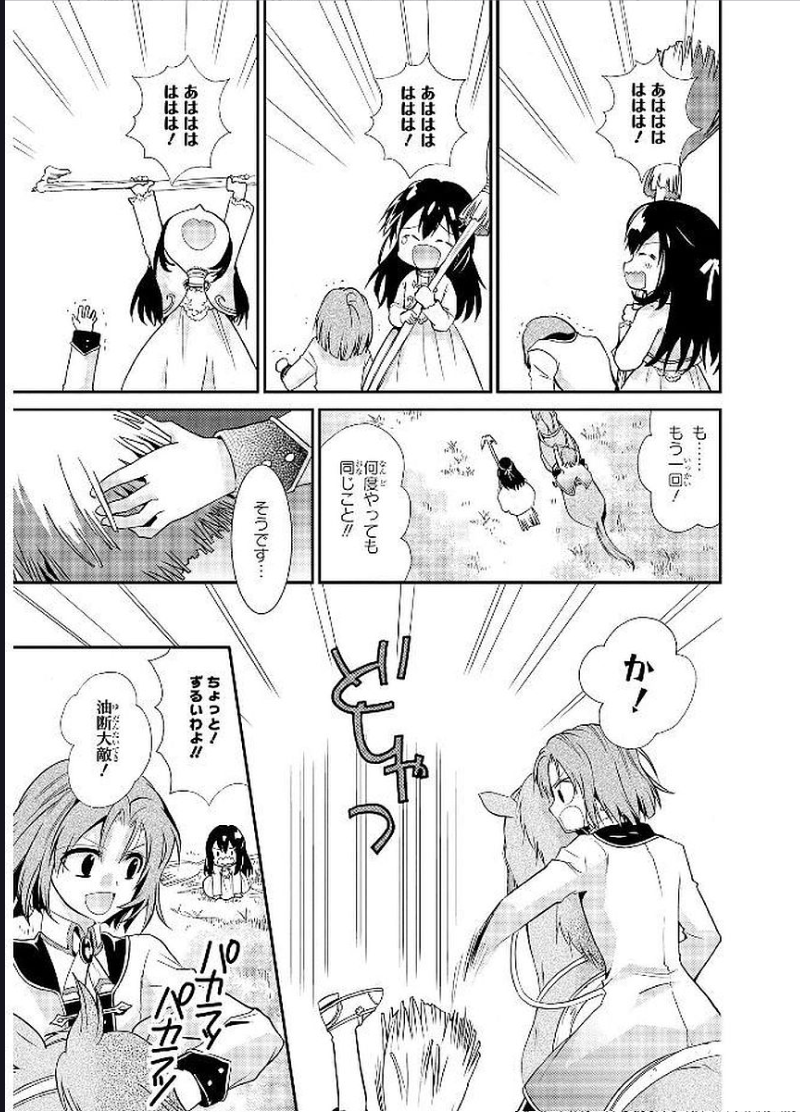
After
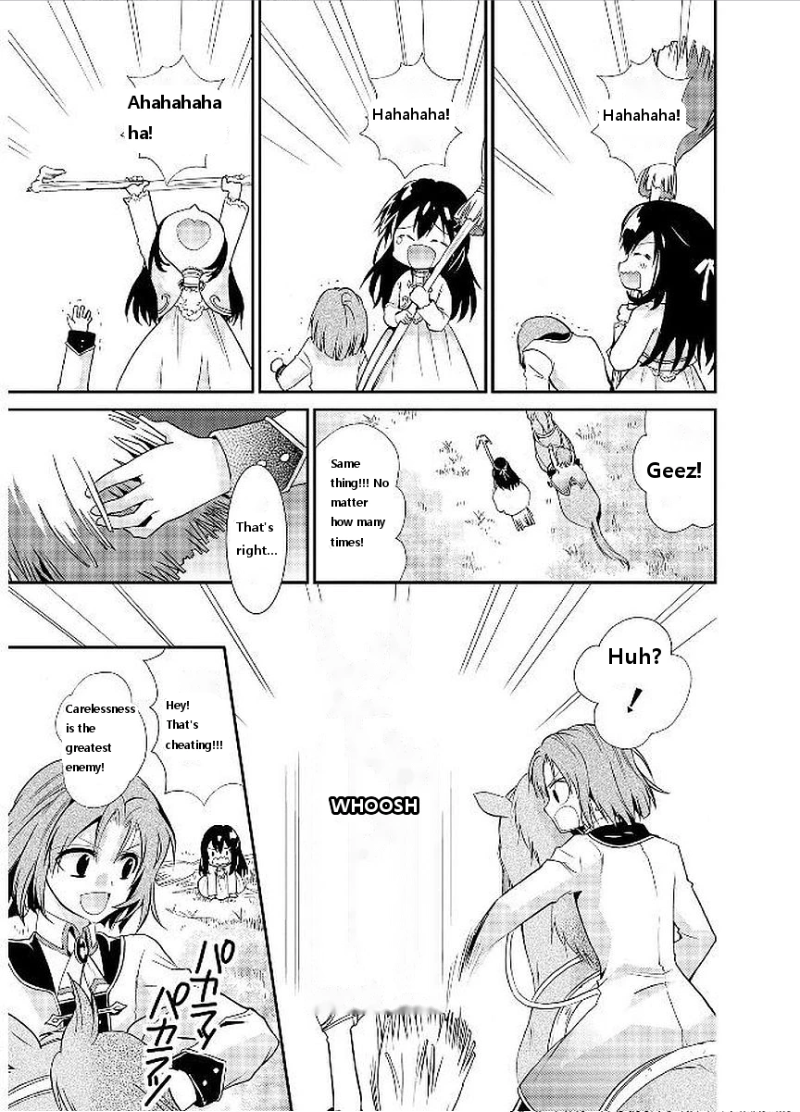
Original Japanese text removed and replaced with clean English dialogue — right inside the panel.
Live Bubblate translation
Before

After
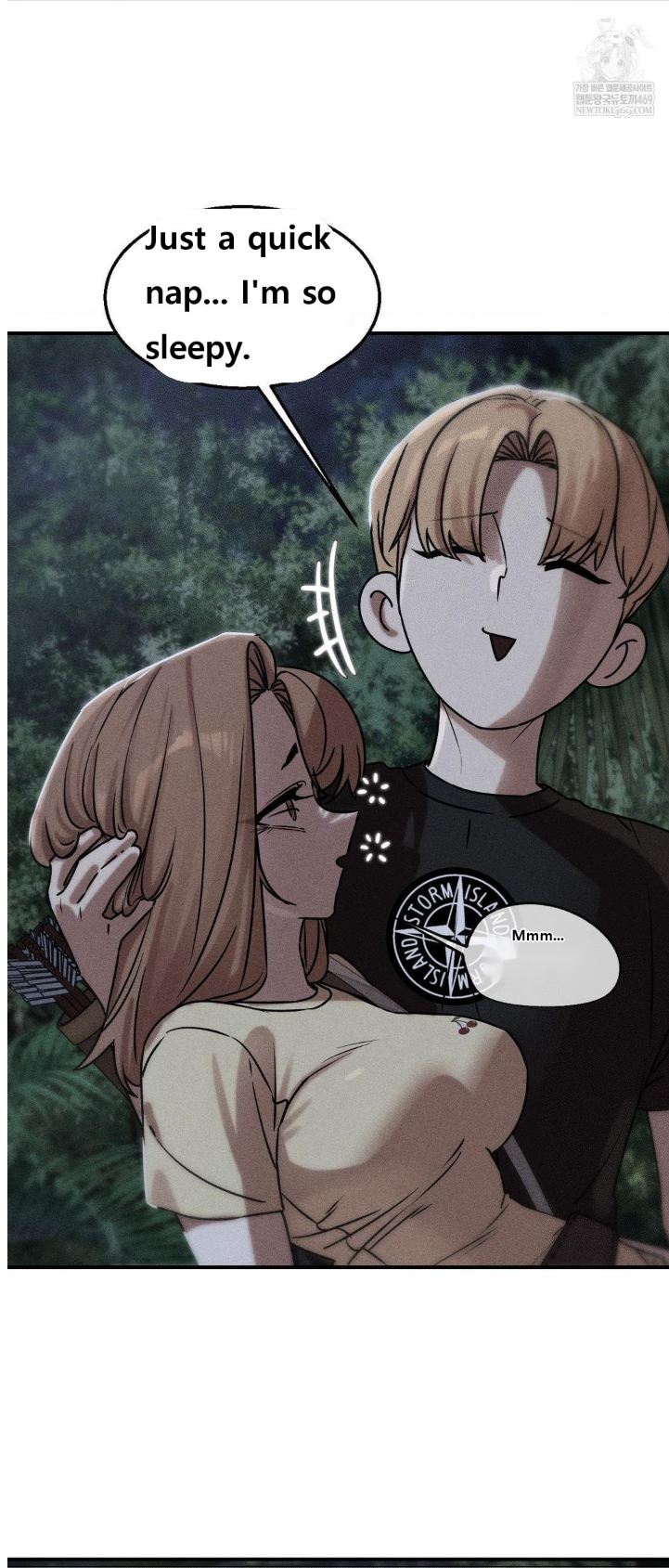
The art stays untouched. Only the dialogue changes. Exactly how it should be.
Live Bubblate translation
Yes. Bubblate works on MangaDex, ComicK, and other popular reading sites. Install the extension and it works immediately.
No. Your purchased credit packs never expire. You can come back months later and pick up right where you left off.
No. Bubblate only modifies the text inside speech bubbles. The art, colors, and page layout stay completely untouched.
Yes, you can still translate downloaded images directly in the website dashboard, but the extension offers the most seamless reading experience.
Enjoy premium translations without the premium monthly fees.
| Feature | Bubblate | Monthly Translators |
|---|---|---|
| Pricing model | Pay-as-you-go | Monthly subscription |
| Unused pages | Keep them forever | Use them or lose them |
| Commitment | Starting at $1 | $10+ every month |
Join thousands of manga fans who read without barriers. Install free, translate instantly.